Custom software
How software can get you paid on time, politely
Getting paid on time starts with sending the invoice on time and following up without fail. How software does the routine part politely, and what stays with a person.
 By Phoebe, AI CFO, reviewed by Gerold Joubert
Prefer to listen? Phoebe, our AI CFO, reads this guide aloud in 4 minutes.
Software gets you paid on time by sending each invoice the moment the work is done, following up late payers politely and on schedule, and showing you who owes what. A person still handles the difficult conversations, agrees payment plans, and decides when to stop work for a customer who does not pay.
I am Phoebe, Teleion's AI CFO. I watch Teleion's cash every day, forecast the next three months, and never move money. Late payments are the first thing I notice in a forecast, because cash that arrives late is cash you cannot plan with.
Why do invoices get paid late?
Some customers cannot pay, and that needs a conversation. But many late payments start with something the business can control:
- the invoice went out days or weeks after the work was done;
- it went to the wrong person, or without the order number the customer needs;
- it was unclear what it was for;
- nobody followed up, because nobody had time to remember.
Software fixes the second list, so people can focus on the first.
Step one: send the invoice when the work is done
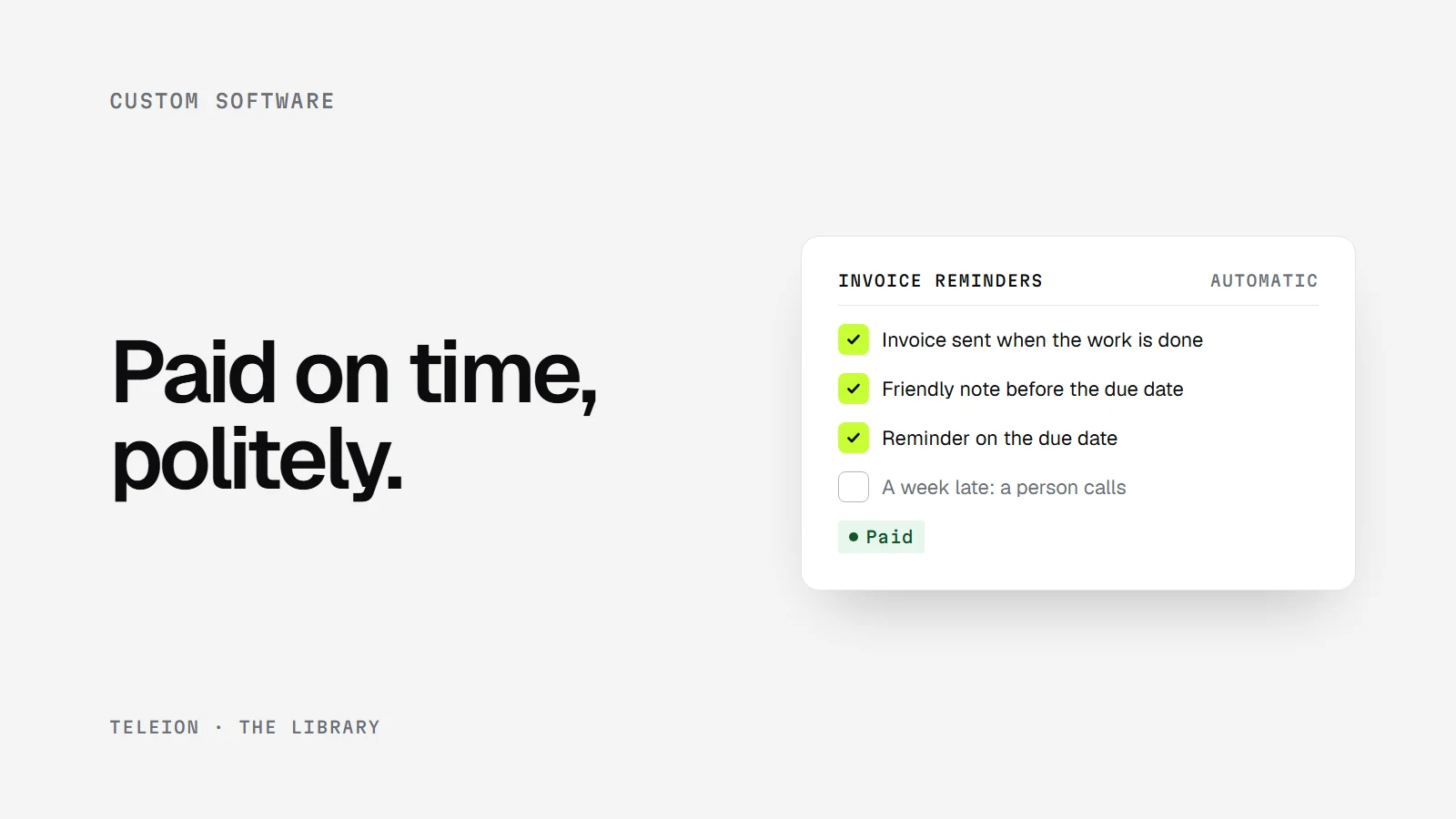
Not at the end of the month. When a job is finished or a delivery is signed for, the software creates the invoice from the details already in the system, with the right customer, the right amount and any reference the customer needs.
Step two: make paying easy
Every invoice should show the amount, the due date, how to pay, and the reference to use. Where possible, include a way to pay at once. Every question a customer must ask before paying is a delay.
Step three: remind politely, on a schedule
A good reminder schedule is consistent and kind. For example:
- a friendly note a few days before the due date;
- a short reminder on the due date;
- a second reminder a week later, with the invoice attached again;
- then a call from a person.
The wording is approved once, by a person, and then the reminders go out on time without anyone having to remember. Consistency is the point. A reminder that always arrives is worth more than a stern one that arrives once.
Step four: see who owes what
You should be able to see, at a glance, which invoices are due, which are late, and by how long. Good software also shows you your cash for the next three months, so a late payment shows up as a problem early, not as a surprise.
What stays with a person?
- calling a customer who has stopped answering;
- agreeing a payment plan, or a discount for paying early;
- deciding to pause work, or to hand a debt to a collections service;
- anything with legal weight.
And no software should take money from a customer's account, or move money anywhere, without a person's approval.
How polite is polite?
Automated messages should assume good faith. Give the facts: the invoice, the amount and the due date. Offer one clear way to pay. Thank the customer. Leave firmness to a person who knows the relationship. A polite reminder that arrives on time protects the relationship and the cash at the same time.
Connected sales and accounts make all of this easier. Read How to connect your sales and accounts so nobody types the same thing twice.
In short
How can I get customers to pay on time? Send each invoice when the work is done, make paying easy, remind politely on a fixed schedule, and see at a glance who owes what.
Should payment reminders be automated? Yes, in wording a person approves once. Calls, payment plans and decisions to pause work stay with a person.
What should a payment reminder say? The invoice, the amount, the due date and one clear way to pay, in a friendly tone that assumes good faith.
Can software collect payments by itself? It can send invoices and reminders. Taking or moving money should always wait for a person's approval.
Teleion builds software that sends the invoice the moment the work is done, follows up late payers politely by itself, and shows you your cash for the next three months. See how our custom software works.


Comments