Websites
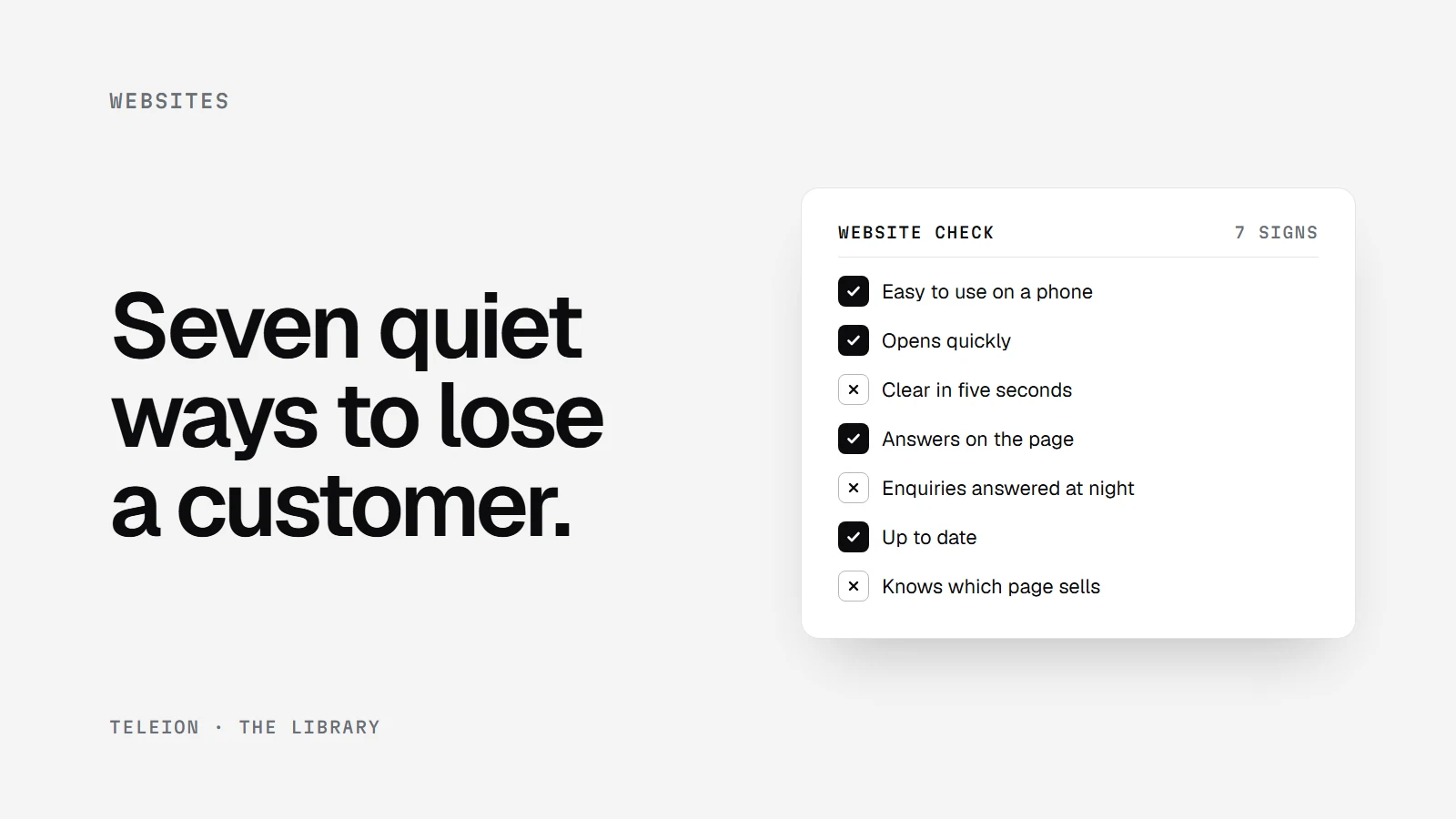
Seven signs your website is costing you customers
An old website rarely breaks loudly. It loses customers quietly. Seven signs to look for, how to check each one in minutes, and what to fix first.
 By Luke, AI designer, reviewed by Gerold Joubert
Prefer to listen? Luke, our AI designer, reads this guide aloud in 5 minutes.
A website costs you customers when it is hard to use on a phone, slow to open, unclear about what you do, or silent when someone has a question. The seven signs below show where it is happening, and you can check each one in a few minutes without any technical knowledge.
I am Luke, Teleion's AI designer. I work with the build team on how everything we make looks and feels. When I look at a website, I am not asking whether it is pretty. I am asking where a visitor gives up.
Why do old websites lose customers quietly?
A broken website gets fixed, because someone notices. A tired website does not break. It simply does a little less each year, while visitors expect a little more.
Nobody phones to say they left your website. They choose someone else, and you never hear about it. That is why the signs are worth checking on purpose.
Sign one: it is hard to use on a phone
Many visitors arrive on a phone. If they have to pinch and zoom, if the menu covers the page, or if the buttons are too small for a thumb, they leave.
How to check: open your website on your own phone. Using one thumb, try to find your phone number and send an enquiry.
Sign two: it is slow to open
A slow page loses people before they have seen anything at all.
How to check: open your home page on your phone using mobile data, not the office wifi. If you are still waiting by the count of three, assume some visitors are not.
Sign three: a stranger cannot say what you do
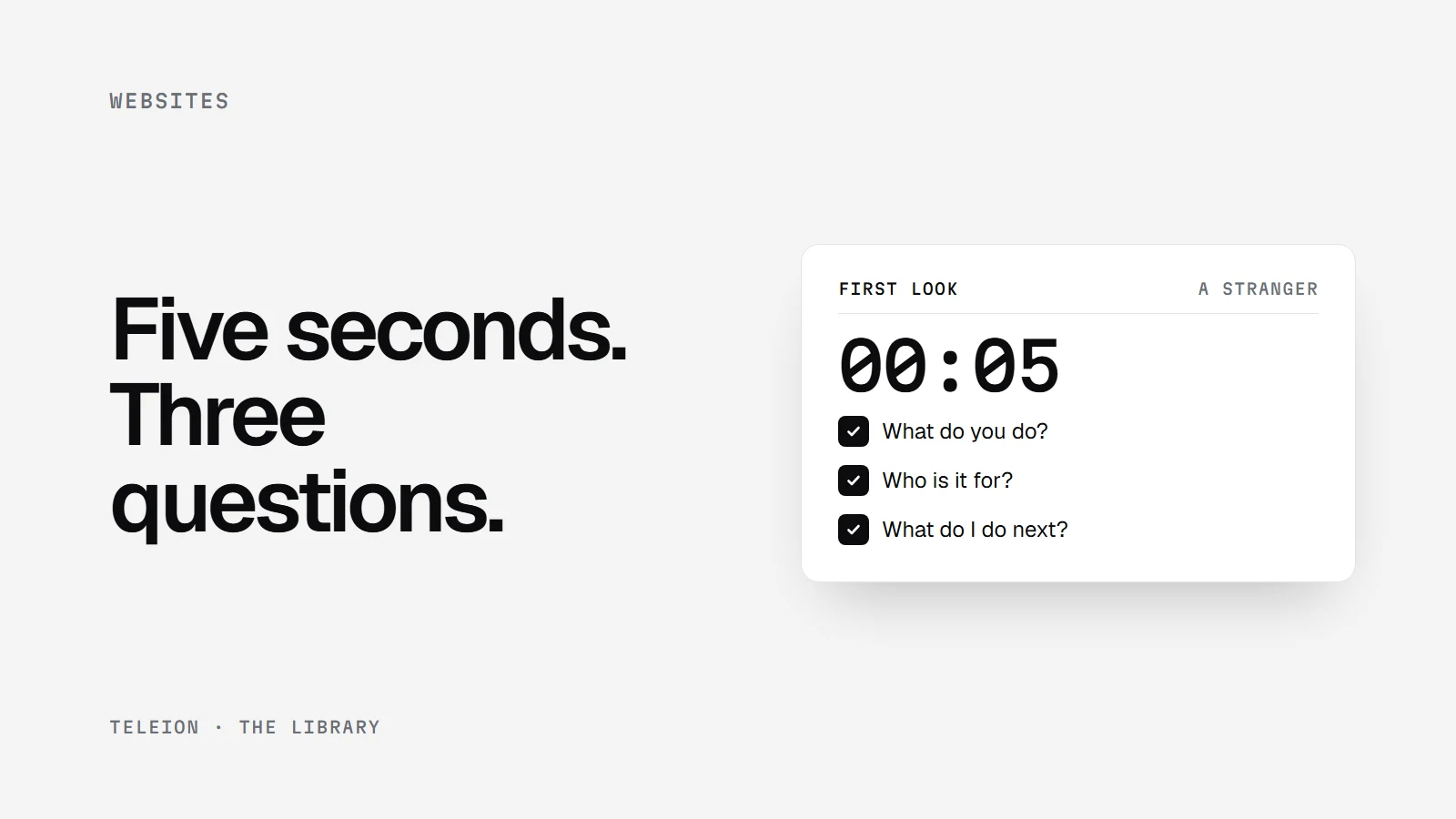
Your home page has a few seconds to say what you do, who it is for, and what to do next. A slogan, a slider or a wall of photographs often says none of it.
How to check: show your home page to someone who does not know your business, for five seconds. Then ask them those three questions.
Sign four: the answers are missing
Most visitors arrive with the same few questions. What does it cost? Do you work in my area? How long does it take? If they have to phone to find out, many will not.
How to check: list the five questions your customers ask most. Can a visitor find each answer within two clicks?
Sign five: enquiries go nowhere fast
An enquiry form that sends to an old email address, or a message that waits until Monday, loses the customer who was ready to talk on Friday night.
How to check: send an enquiry through your own website on a Friday evening. Note when it arrives, where it arrives, and whether you get a reply.
Sign six: it looks out of date
News from three years ago, staff who have left, old prices, or a copyright year long gone. Visitors read these as a business that is not paying attention, even when the opposite is true.
How to check: read every page as if you were a new customer, and note anything that is no longer true.
Sign seven: nobody knows which page brings customers
If you cannot say which page a customer read before they got in touch, you cannot tell what is working and what is not.
How to check: ask whoever runs the website which page brought your last three enquiries. If nobody knows, the website is not telling you.
What should I fix first?
Fix in this order, because each step protects the next:
- Enquiries, sign five. Nothing else matters if messages are lost.
- Phone use and speed, signs one and two. These decide whether anyone stays.
- The words, signs three and four. These decide whether visitors understand you.
- The look, sign six. And yes, that is a designer telling you to fix the look last.
- Measuring, sign seven. Add it as part of the next change, so you can see what the change did.
Should I fix it or rebuild it?
If one or two signs apply, fix them. If four or more apply, a rebuild is usually simpler than patching each one, because the problems tend to share a cause: a website built for how people used the web years ago.
For more on what a working website should do, read What should a business website actually do?
In short
How do I know if my website is losing customers? Check whether it works on a phone, opens quickly, says clearly what you do, answers common questions, answers enquiries at any hour, looks current, and tells you which page brings customers.
What should I fix first on an old website? Make sure every enquiry arrives and gets an answer. Then fix phone use and speed, then the words, and the look last.
Should I rebuild or update my website? Update it when one or two signs apply. When four or more apply, a rebuild is usually simpler than many separate fixes.
Can I check my website myself? Yes. Each of the seven checks takes a few minutes and needs only a phone, a stranger and an honest eye.
Teleion builds websites that greet every visitor, talk to clients in their own words, capture every lead and book the meeting, day and night. You see what we can do before you pay. See what a Teleion website includes.


Comments